Thursday, 5 March 2015

Task Sequence OS Deployment Windows 7– SCCM 2012


SCCM2012R2 OSD Error Download () failed 80072ee2
Resolution:
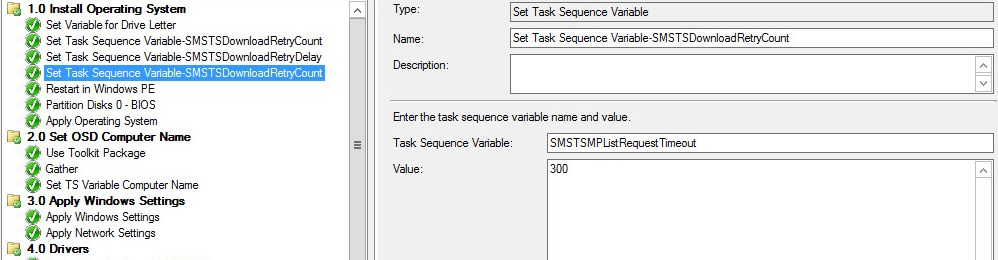
Create these  Tasksequence Variables right at the top of your Tasksequence:
SMSTSDownloadRetryCount with Value 5
SMSTSDownloadRetryDelay with Value 15
SMSTSMPListRequestTimeout with Value 300




 Restart Windows PE


 Partition Disk


Use MDT 2013 Toolkit


Apply Operating System


Apply Computer Name


Apply Windows Settings


Apply Drivers 


 Set Operating System

 Apply Client

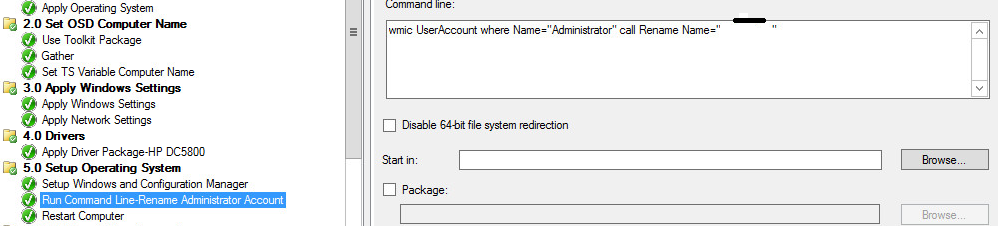
 Rename Admin Account

Add Local Accounts

Use below Batch to call VB Script to Create Account 

' //***************************************************************************
net user /ADD <USERNAME> <PASSWORD>  /passwordchg:no /comment:"Added through TS"/y
net localgroup Administrators <USERNAME>/add
cscript.exe "%~dp0adminaccount.vbs"
' //***************************************************************************

VB Script
' //***************************************************************************
strComputer = "."
strUser = "<USER>"
Set User = Getobject("WinNT://" & strComputer & "/" & strUser)
Flags = User.Get("UserFlags")
User.put "Userflags", flags OR &H10000
user.setinfo
Set User = nothing
' //***************************************************************************


Method to import Reg


Way to Add Reg

Way to Run Command


Way to Run Attrib Command

Way to Create Folder

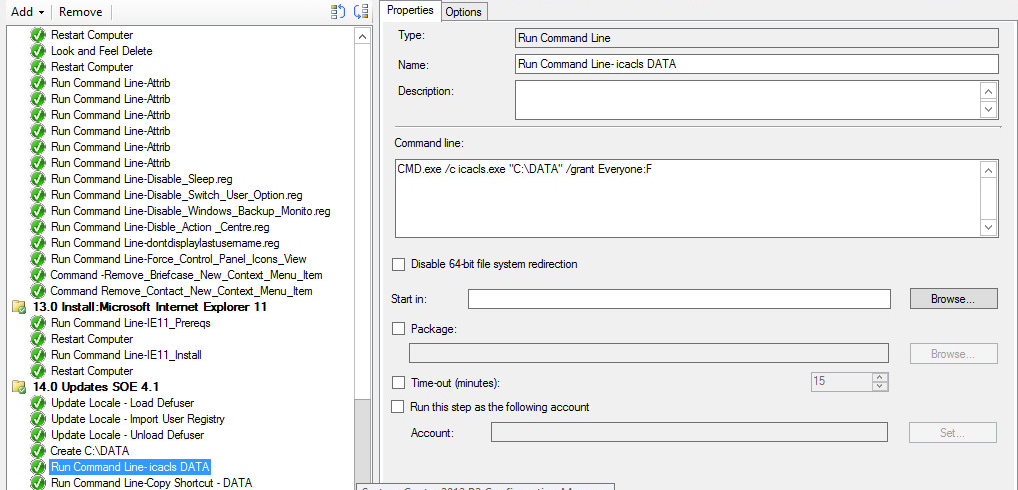
 Way to iCACLS


Way to Copy Files

VB Script to copy files
' //***************************************************************************
' // ***** Script Header *****
' //
' // Solution:  File copy relative to script location
' // File:      CopyFiles.vbs
' // Author: Michael Petersen, Coretech A/S. info@coretech.dk
' // Purpose:   Copy x number of files and folsders in a source folder to a target location 
' // Usage: Place script i source folder, and define what to copy using arguments. (FIRST ARGUMENT MUST BE TARGET FOLDER)
' //
' // To copy one or more file(s) and Folder(s)located in the source folder sypplpy TARGET and FILE/FOLDER name(s) (remember extensions on files)
' // - Cscript.exe CopyFiles.vbs "TARGETFOLDER" "FILE1.XXX" "FOLDER1" "FILE2.XXX" "FOLDER2"
' //
' // To copy all files and folders located in the source folder only supply TARGET 
' // - Cscript.exe CopyFiles.vbs "TARGETFOLDER"
' //
' //
' // CORETECH A/S History:
' // 1.0.0     MIP 17/01/2011  Created initial version.
' // Customer History:
' //
' // ***** End Header *****
' //***************************************************************************

Set oFSO = CreateObject("Scripting.FileSystemObject")

Const OverwriteExisting = True

'Get script location
sScriptLocation = Replace(WScript.ScriptFullName,WScript.ScriptName,"")
sSource = Mid(sScriptLocation,1,Len(sScriptLocation)-1)
WScript.Echo "Source is: " & sSource

'Copy files and folders, or entire source
sArgNumber = WScript.Arguments.Count

If sArgNumber <> 0 Then
sTargetFolder = WScript.Arguments.Item(0)
WScript.Echo "Targetfolder is: " & sTargetFolder
'Make sure the taget is not a file
If Not (Left(Right(sTargetFolder,4),1)) = "." then 
'If only TARGET exists ad argument, everything will be copied
If WScript.Arguments.Count = 1 Then 'If only 
oFSO.CopyFolder sSource, sTargetFolder, OverwriteExisting
oFSO.DeleteFile(sTargetFolder & "\" & WScript.ScriptName)
WScript.Echo "All files copied to Targetfolder " &  sTargetFolder
Else  
'If files and folder arguments exist only these will be copied 
For i = 1 To sArgNumber -1
sFileName =  WScript.Arguments.Item(i)
If oFSO.FileExists(sFileName) Then 
WScript.Echo "File: " & SFileName & " Copied to: " & sTargetFolder
oFSO.CopyFile sSource & "\" & sFileName, sTargetFolder & "\" & sFileName, OverwriteExisting
ElseIf oFSO.FolderExists(sFileName) Then
WScript.Echo "folder: " & sFileName & " Copied to: " & sTargetFolder
oFSO.CopyFolder sSource & "\" & sFileName, sTargetFolder& "\" & sFileName, OverwriteExisting
ElseIf (Left(Right(sFileName,5),1)) = "*" Then
WScript.Echo "All : " & SFileName & " files Copied to: " & sTargetFolder
oFSO.CopyFile sSource & "\" & sFileName, sTargetFolder & "\", OverwriteExisting 
Else
WScript.Echo "ERROR - " & sFileName & ": does not exist in the source folder!"
End If  
Next
End If
Else
WScript.Echo "ERROR - " & sTargetFolder & " Is not a valid FolderName. First Argument must be the tagret folder!"
Wscript.Quit(1)
End If
Else 
WScript.Echo "ERROR - No Arguments present!"
Wscript.Quit(1)
End If
' //***************************************************************************


Sunday, 9 March 2014

SCCM2012R2 OSD Error Download () failed 80072ee2

SCCM 2012 single primary site infrastructure, I get Download() failed. 80072ee2 on random packages


Resolution:
1. Create these  Tasksequence Variables right at the top of your Tasksequence:

SMSTSDownloadRetryCount with Value 5
SMSTSDownloadRetryDelay with Value 15
SMSTSMPListRequestTimeout with Value 300


Tuesday, 4 March 2014


SCCM 2012: Local content cache failed for Workgroup machine

SCCM 2012 single primary site infrastructure, I get SendResourceRequest() failed. 80190191 in SMSTS Log

Network Access Account is properly configured.

Issue: Deployments configured to "Download content from distribution point and run locally" including all Windows Updates fail.


UpdatesHandler.log
CAS failed to download update (4dfda4a4-f124-4589-bd1b-a6f45b71db16). Error = 0×80070005. Releasing content request.
DataTransfer.log
Error sending DAV request. HTTP code 401, status ‘Unauthorized’
CAS.log
Download failed for content 0e47d69c-240c-44e1-89c5-12333cd5fcf9.1 under context System, error 0×80070005
SMSTS Log
Download() failed. 80190191, DownloadContentAndVerifyHash() failed. 80070002.

Network Access Account was not used. But it looks like it tried to use Local System Account for the Workgroup machine and failed with "Access Denied".

Resolution: Enabled Anonymous Authentication for SMS_DP_SMSPKG$ folder in IIS and verified it set for IUSR user (Server 2012)


These settings periodically flipped back to "Disabled"   

This KB explains this behaviour. http://support.microsoft.com/kb/2682514

Enable anonymous connection in properties of DP: to resolve the issue


If this does not resolve the issue, this could be network related issue, TRY this

Turn off “Wake Up Proxy” in the client settings and let that percolate to all of the clients or 
Turn off the WINPE firewall at the beginning of the task sequence would also take care of it

Disabling WINPE firewall: Add a "Run Command Line" of 'wpeutil disablefirewall', during intial OSD, after the partition disk section.


Thanks SCCM by Davis for the solution, http://sccmbydavis.blogspot.com.au/2012/09/sccm-by-davis_24.html

Wednesday, 18 December 2013

During PXE computer reboots after message "Windows is starting up..." and then "Preparing Network Connections..."
  
1.    Boot the bare metal client system to PXE and the boot image loads
2.    The SCCM status messages appear "Windows is starting up..." and then "Preparing Network      Connections..."
3.    The client machine hangs for a minute or so, then reboots.
4.    SMSTS logs show: unspecified error Error: 80004005 component="TSPxe"  file="tsmediawizardcontrol.cpp

Resolution:

Delete workstation from ConfigMgr 2012 & add it gain through "Import Computer Information"

Sunday, 3 November 2013

Setting up ESXI Server


RAM
36GB
Operating System
VMware ESXi Standard 5.5.0 (Build 1331820)

Storage Configuration (store VMs in local-vms datastore)

Volume 1: RAID 1 config with 2 physical drives – approx. 270GB usable for the hypervisor OS (VMware) and other files. This is called local-isos in the VMware console. This is where VMware is installed to along with spare storage, I typically store operating system ISO images in this datastore. I would not recommend installing/running Virtual Machine files in this datastore as they will not perform well from this location.
Volume 2: RAID10 config with 12 physical drives – approx. 1.6TB of usable space for virtual machines images. This is called local-vms in the VMware console. This is where virtual machine files should be stored. This is a high performing storage area as the read/writes will be spread over a large number of physical drives.
2 hot spares are also assigned on the server.
There is also a separate Shared Storage Array attached to the server with around 2TB of usable space. This could also be used for storing VMs if needed but I would tend to store them on the local storage first (as it has more spindles/physical drives and will probably be faster). This is called san1 in the VMware console.


Network Configuration

This server is configured in the build room subnet (x.x.x.x/24). This subnet is routable with the production network. This shows up as PROD-x.x.x in the VMware console. Virtual machines configured in this network will get x.x.x.x IP addresses from DHCP.

There is also a virtual switch created called HOST-ONLY. This has no network uplinks. Virtual machines assigned to this network will be able to communicate with each other but not be seen by the production network. This is good for isolated labs/virtual machines that you don’t want advertising or to be connected to from the production network. You will need to configure your own IP addressing for virtual machines on this network.


Management
The environment can be managed using the VMware VSphere Client 5.5.0.